Skip to content
ShmoCard

Themes and button styles for ShmoLink

Your links. Your look. Your kind of fun.

A cozy campfire. A calm ocean. A little retro game. Your links have a job to do, but the page around them can still make someone smile.

ShmoLink themes from the app, shown with sample content. These appear on your page, not on a printed card or badge.

Little details. Useful possibilities.

Make more of
every connection.

Find a look that feels like you

Start with a free theme such as Campfire, Ocean Dream or S’mores Night, then choose a button style. Choose a look you would be happy to share.

Let the little details have some fun

The paid plan adds themes such as Code Rain and Flying Shmello, the Glass, Wave and Neumorphic button styles, and button effects. Add personality around the booking, shopping and contact links people came for.

Give a familiar page a fresh look

Switch themes in the ShmoLink builder whenever your business or taste changes. Your links stay useful and visitors get something new to look at.

From idea to your page

A good next step
starts here.

  1. Explore the themes

    Find a theme that fits your business and the feeling you want your page to have.

  2. Choose your favorites

    Pick a theme when you set up your page, or any time later in the ShmoLink builder. Then choose a button style.

  3. Make the page yours

    Bring the theme together with your business details and useful links, then share your page.

Picture it in your business

Made for real life.

Illustrative examples of ways to put themes and button styles to work.

Bakery

A page with a little window-shop charm.

Imagine the warm Campfire theme around today’s menu, cake inquiries and opening hours.

Real estate

Give the next chapter its own look.

An agent can choose a clean theme such as Mid Dawn for a page with listing links, contact details and a place to start the next conversation.

ShmoLink themes
Find your kind of fun.

See every theme
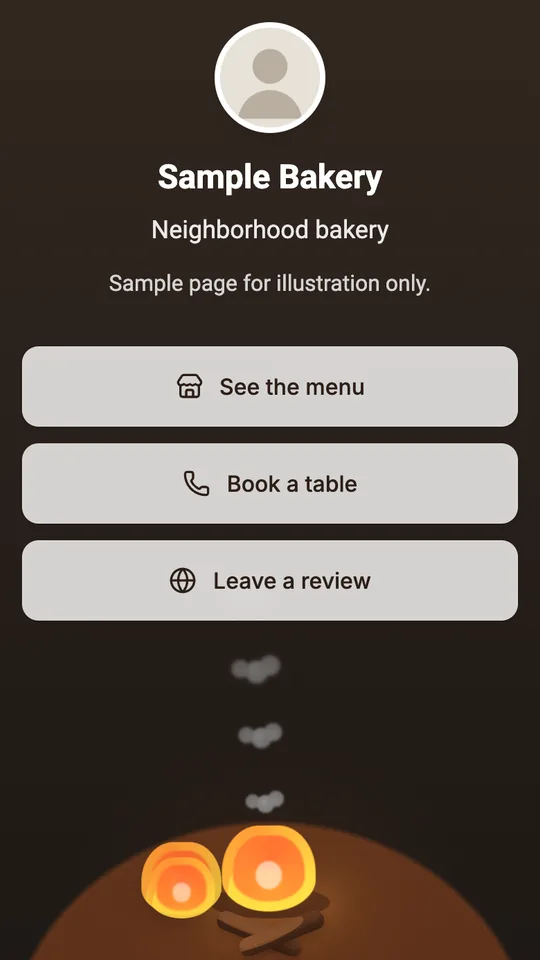
Sample ShmoLink page in the Campfire theme: a dark brown background with an animated campfire at the bottom, with the sample business name "Sample Bakery" and the buttons "See the menu", "Book a table" and "Leave a review".
CampfireFree · Animated
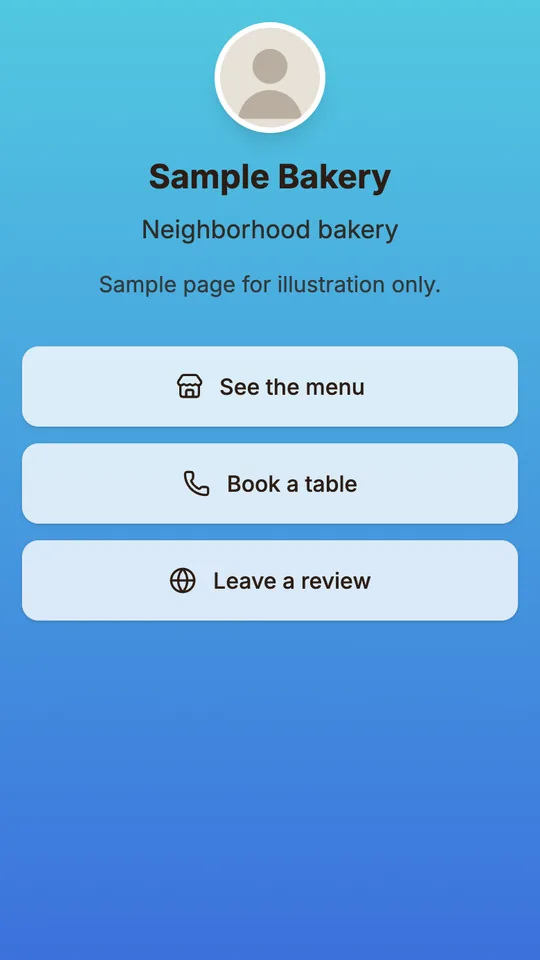
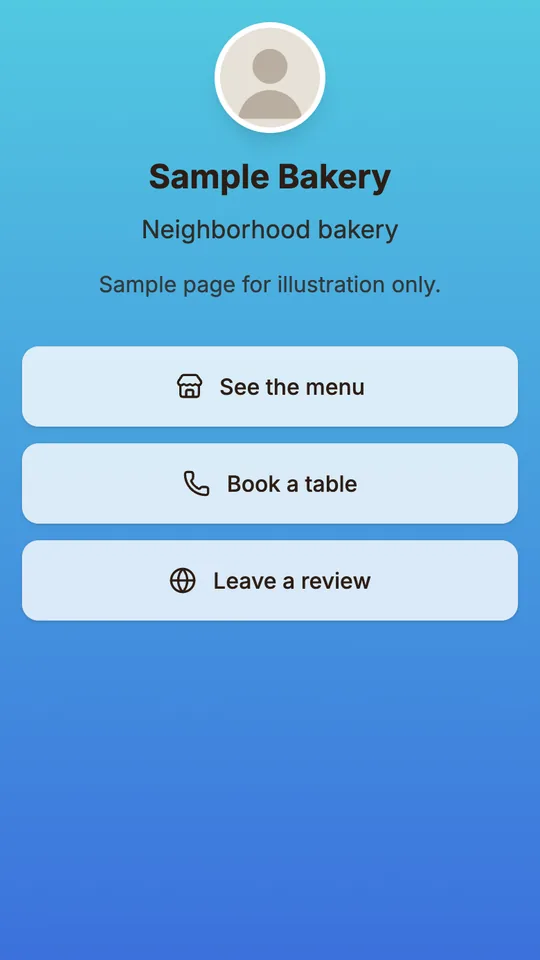
Sample ShmoLink page in the Ocean Dream theme: a teal to blue gradient background, with the sample business name "Sample Bakery" and the buttons "See the menu", "Book a table" and "Leave a review".
Ocean DreamFree
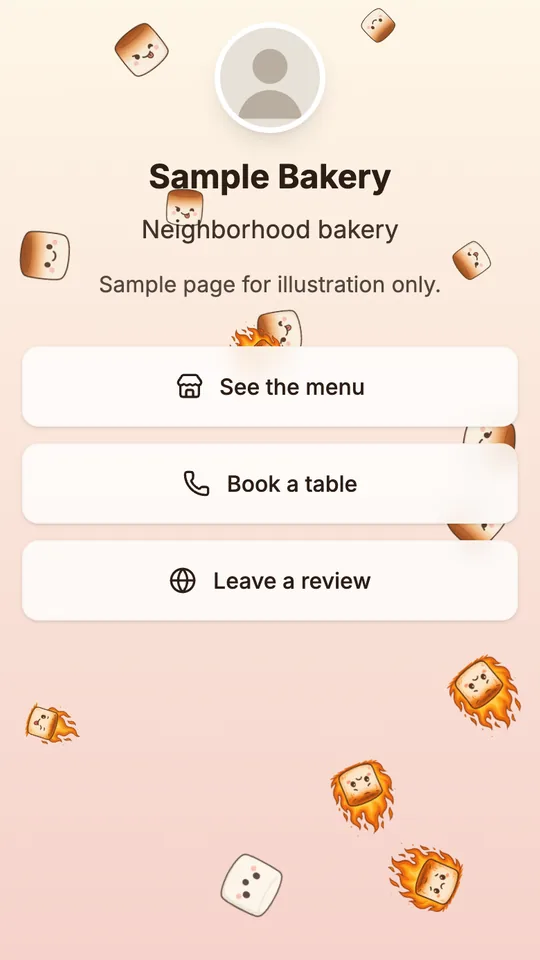
Sample ShmoLink page in the Marshmallow theme: a cream to blush gradient background with floating marshmallow characters, with the sample business name "Sample Bakery" and the buttons "See the menu", "Book a table" and "Leave a review".
MarshmallowFree · Animated
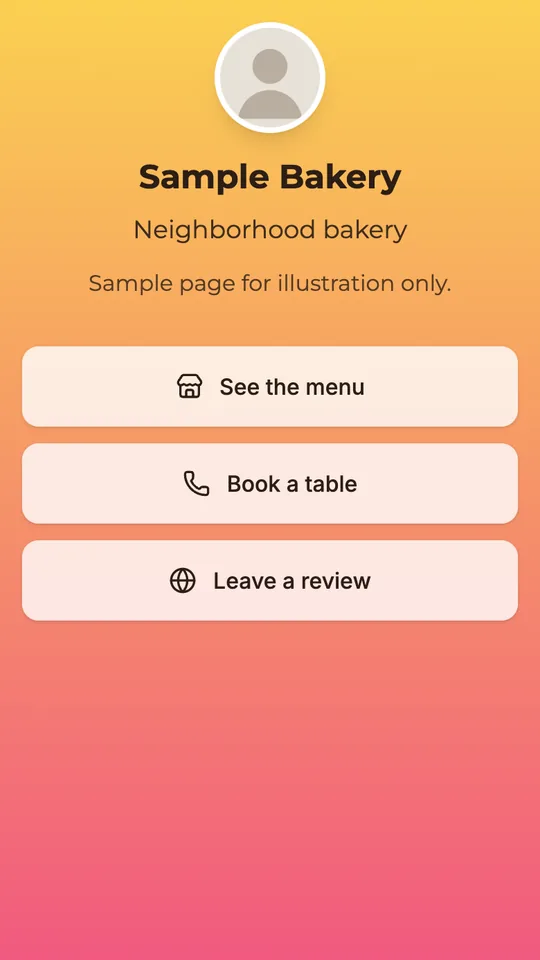
Sample ShmoLink page in the Sunset Pop theme: a golden-yellow to pink gradient background, with the sample business name "Sample Bakery" and the buttons "See the menu", "Book a table" and "Leave a review".
Sunset PopFree
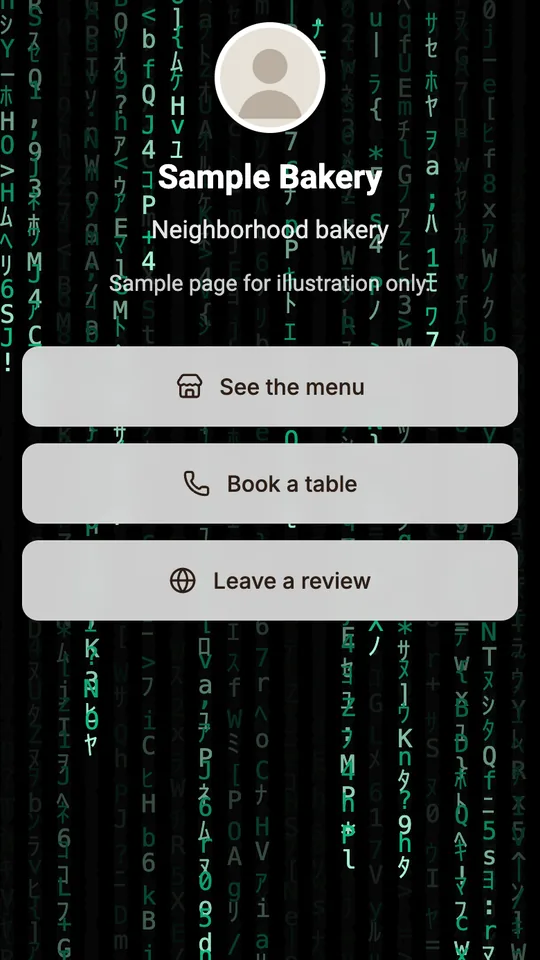
Sample ShmoLink page in the Code Rain theme: a black background with green characters raining down, with the sample business name "Sample Bakery" and the buttons "See the menu", "Book a table" and "Leave a review".
Code RainPaid plan · Animated
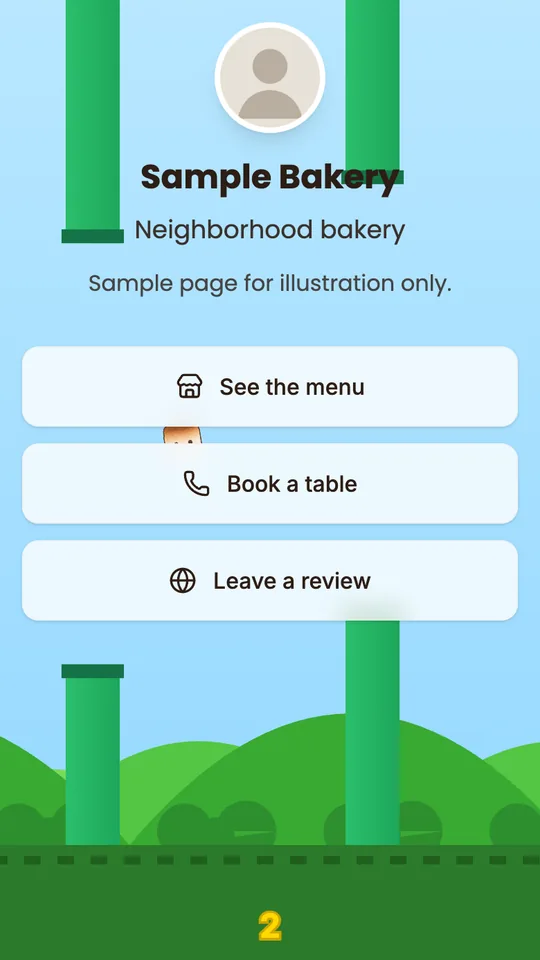
Sample ShmoLink page in the Flying Shmello theme: a sky-blue background with green pipes, hills and a flying marshmallow game, with the sample business name "Sample Bakery" and the buttons "See the menu", "Book a table" and "Leave a review".
Flying ShmelloPaid plan · Animated
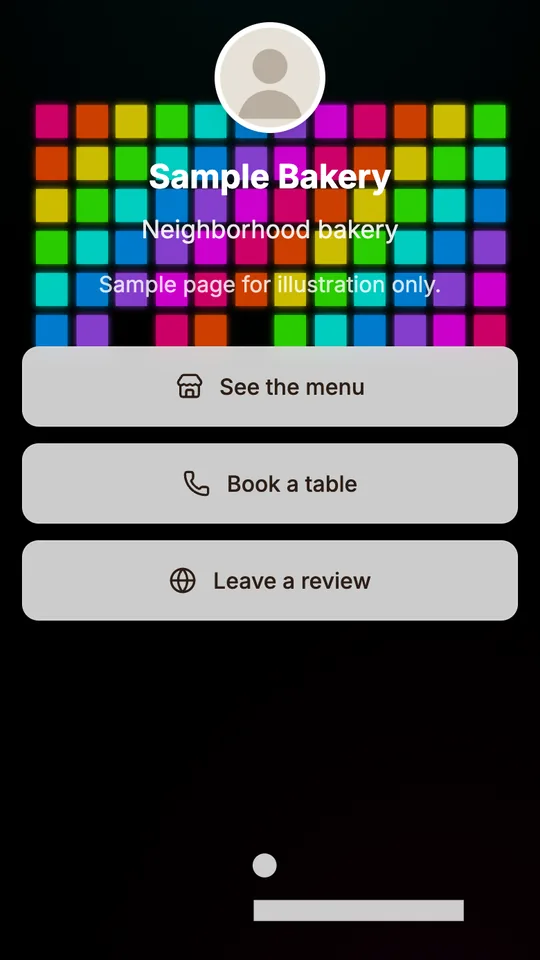
Sample ShmoLink page in the Brick Breaker theme: a black background with a brick-breaker game: colorful bricks, a ball and a paddle, with the sample business name "Sample Bakery" and the buttons "See the menu", "Book a table" and "Leave a review".
Brick BreakerPaid plan · Animated
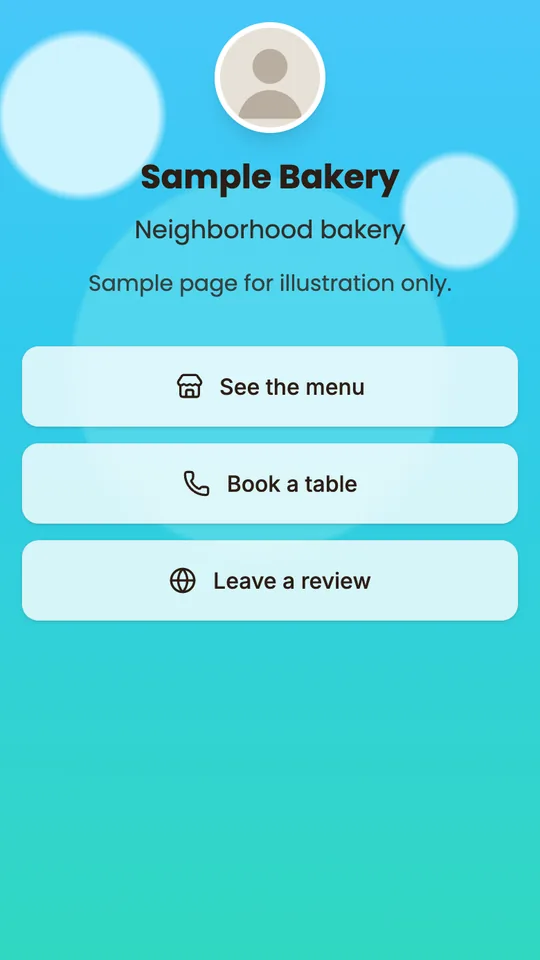
Sample ShmoLink page in the Bikini theme: a bright aqua gradient background with soft bubbles, with the sample business name "Sample Bakery" and the buttons "See the menu", "Book a table" and "Leave a review".
BikiniPaid plan

Button styles

Dress up every button.

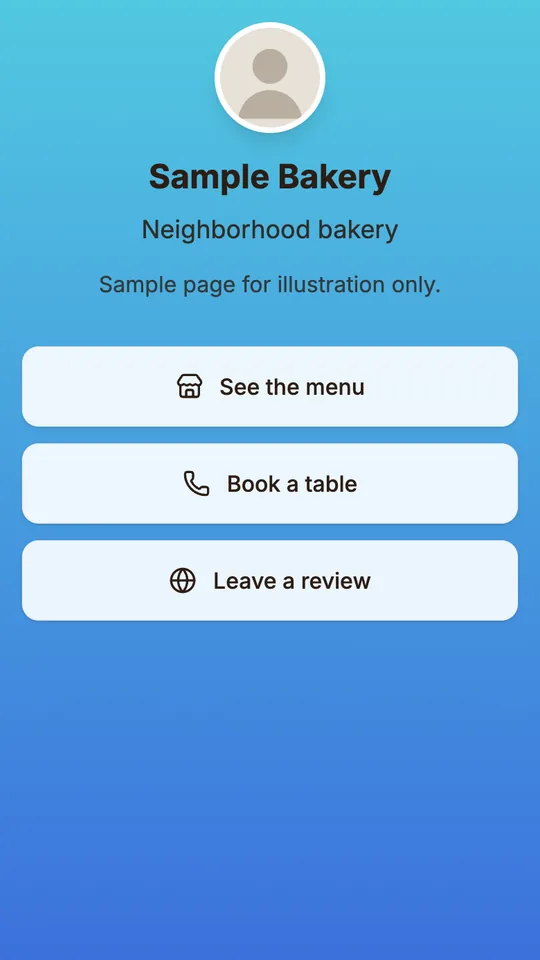
Sample ShmoLink page in the Ocean Dream theme with the default translucent white buttons, showing the sample business name "Sample Bakery" and the buttons "See the menu", "Book a table" and "Leave a review".
DefaultFree
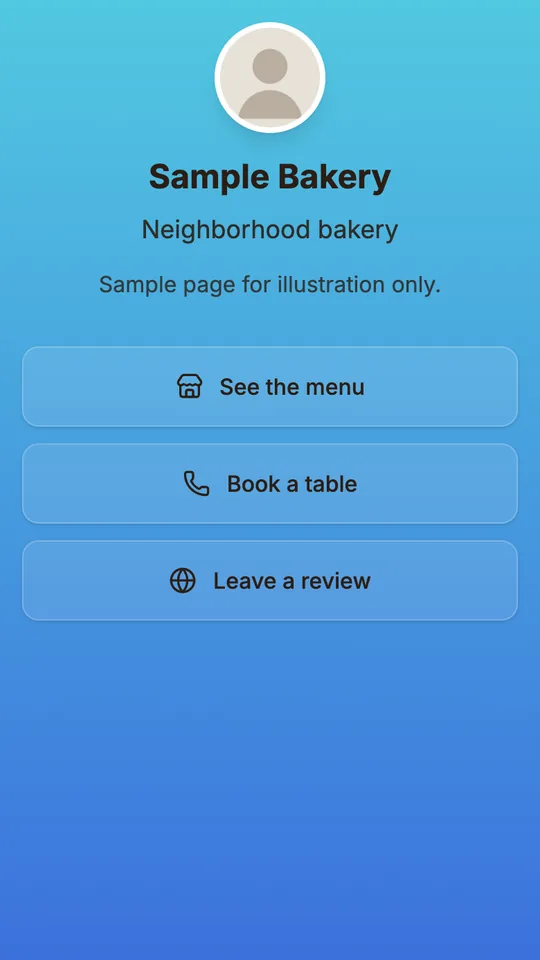
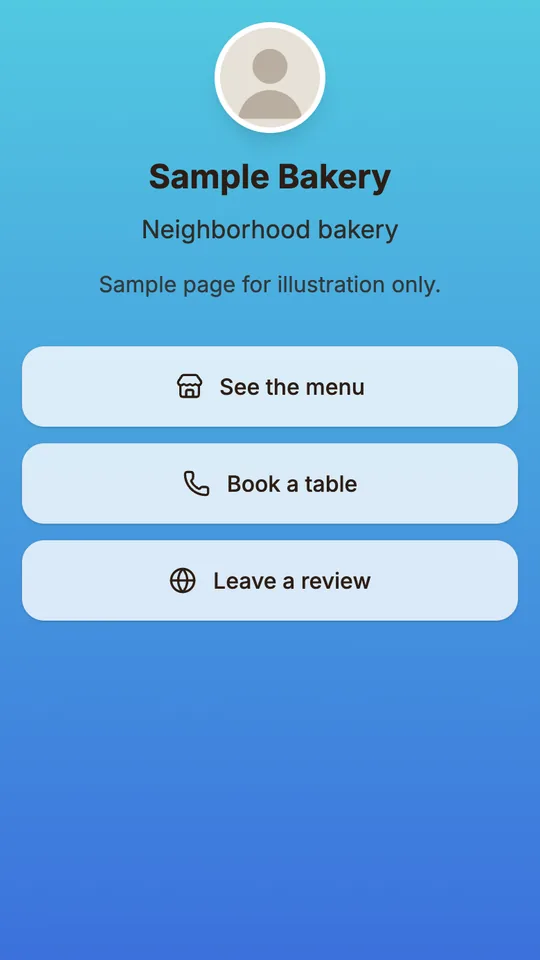
Sample ShmoLink page in the Ocean Dream theme with Soft Pill buttons (slightly more opaque white), showing the sample business name "Sample Bakery" and the buttons "See the menu", "Book a table" and "Leave a review".
Soft PillFree
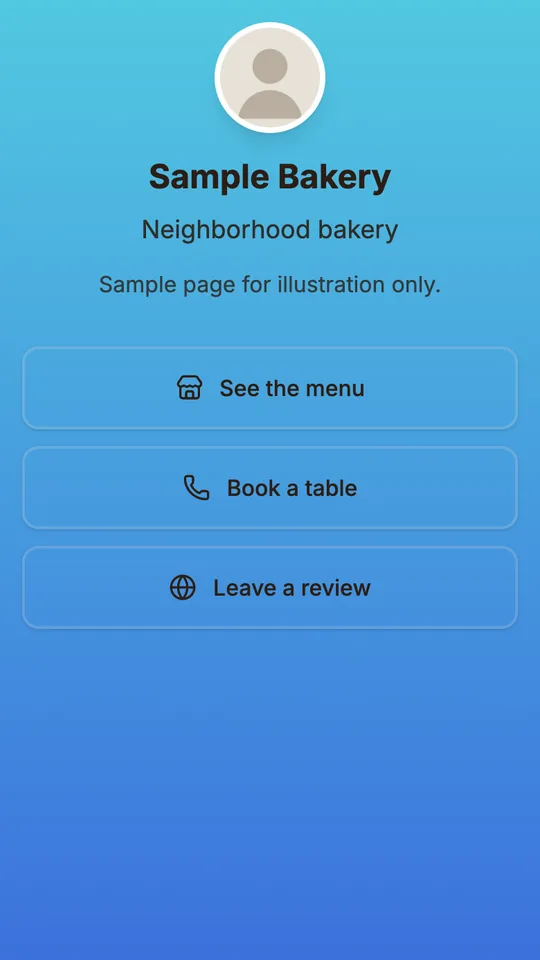
Sample ShmoLink page in the Ocean Dream theme with Outline Pill buttons (transparent with a thin outline), showing the sample business name "Sample Bakery" and the buttons "See the menu", "Book a table" and "Leave a review".
Outline PillFree
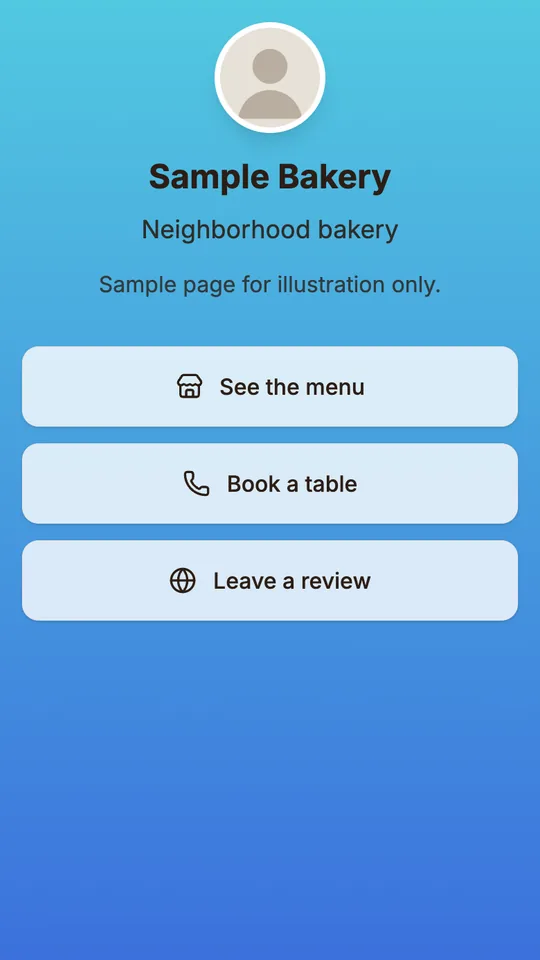
Sample ShmoLink page in the Ocean Dream theme with Bevel Card buttons (white with an inner shadow), showing the sample business name "Sample Bakery" and the buttons "See the menu", "Book a table" and "Leave a review".
Bevel CardFree
Sample ShmoLink page in the Ocean Dream theme with Glass buttons (frosted, mostly transparent), showing the sample business name "Sample Bakery" and the buttons "See the menu", "Book a table" and "Leave a review".
GlassPaid plan
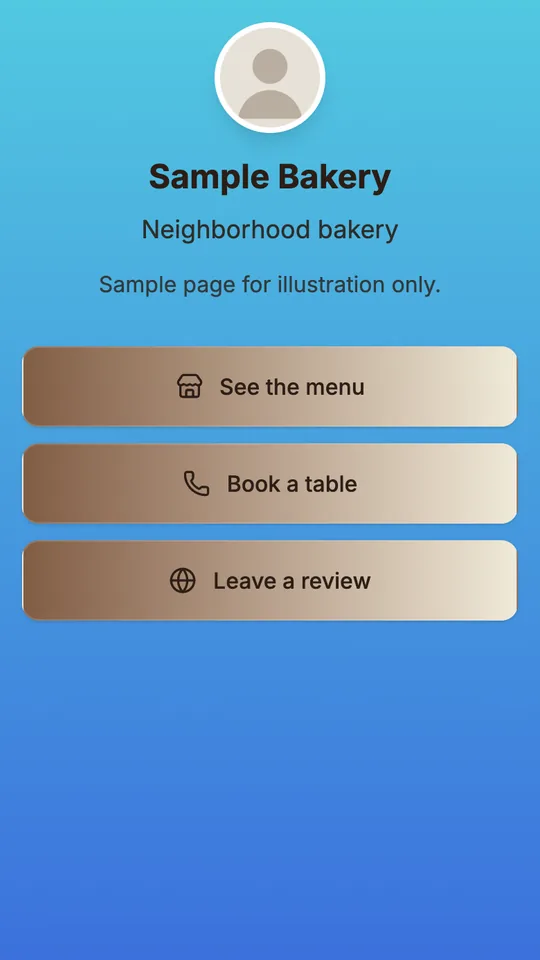
Sample ShmoLink page in the Ocean Dream theme with Wave buttons (chocolate-to-honey gradient), showing the sample business name "Sample Bakery" and the buttons "See the menu", "Book a table" and "Leave a review".
WavePaid plan
Sample ShmoLink page in the Ocean Dream theme with Neumorphic buttons (soft inset shadows), showing the sample business name "Sample Bakery" and the buttons "See the menu", "Book a table" and "Leave a review".
NeumorphicPaid plan

ShmoLink themes and button styles from the app, shown with sample content. Every button style is shown on the free Ocean Dream theme. Animated themes are shown as one still frame, and dark themes with their text set to white, a free setting. These appear on your ShmoLink page, not on a printed card or badge.

Good questions

Let’s clear
a few things up.

Need a hand with your page?
Say hello to our team.

Where do I buy cards and badges?

Physical cards, name badges and review signs are sold in the ShmoCard online shop at shop.shmocard.com. Themes are chosen in the ShmoLink builder and are not sold one at a time: free themes come with every account, and the rest come with the paid plan.

Are these themes printed on my badge or card?

No. Themes appear on your ShmoLink page. Your physical card or badge has its own artwork and can connect people to that page.

Can I change my theme later?

Yes. Pick a new theme in the ShmoLink builder whenever you like. Your links and your page address stay the same.

Can I schedule a theme to change for a holiday?

No. You change your page’s theme yourself whenever you like. The app does not change themes on a schedule.

Your business. Your little space.

Make your next
connection count.

Bring your links, your personality, and your next idea together with ShmoLink.

Get started with ShmoLink